Strong encryption
Your traffic travels through an encrypted tunnel, so networks you do not control cannot read it — including public Wi-Fi.
HideNow VPN encrypts your connection, hides your real IP, and keeps no record of what you do online. One tap, and you are private.
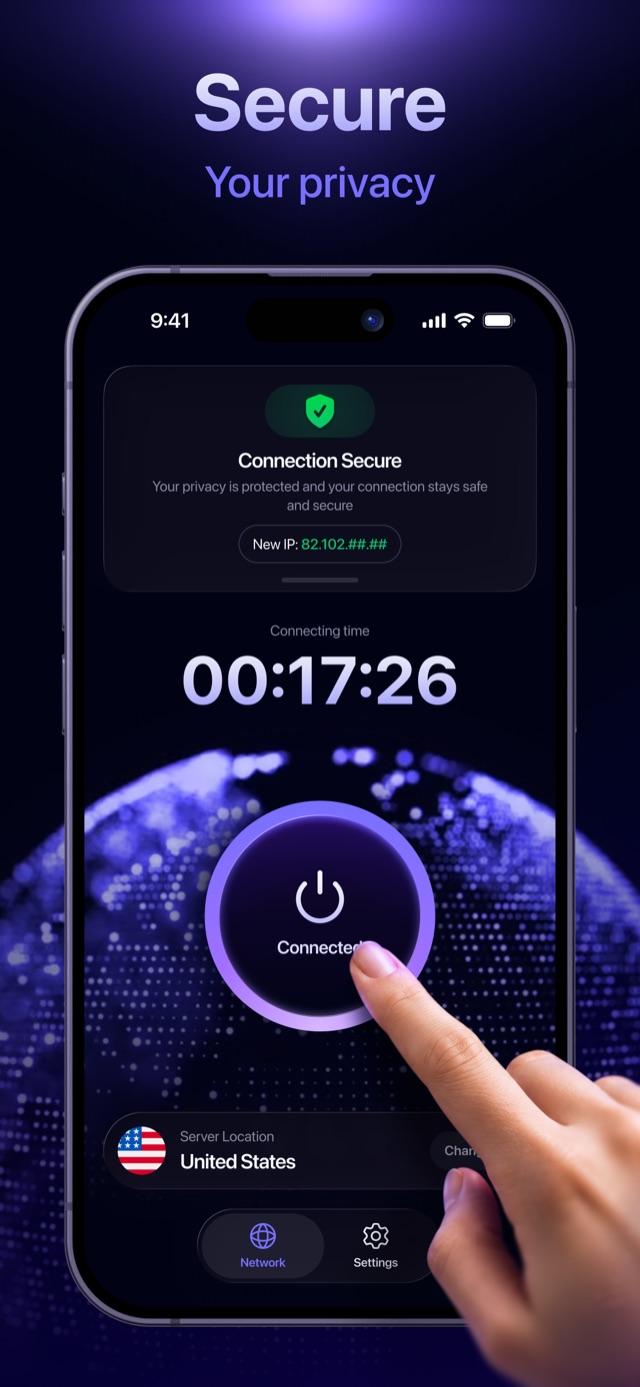
Everything you need to browse privately, and nothing that slows you down.
Your traffic travels through an encrypted tunnel, so networks you do not control cannot read it — including public Wi-Fi.
Sites see the address of our server, not yours. Your real IP stays with your provider, unlinked from what you do.
DNS requests resolve inside the tunnel instead of leaking to your provider, and known ad and tracker domains get blocked.
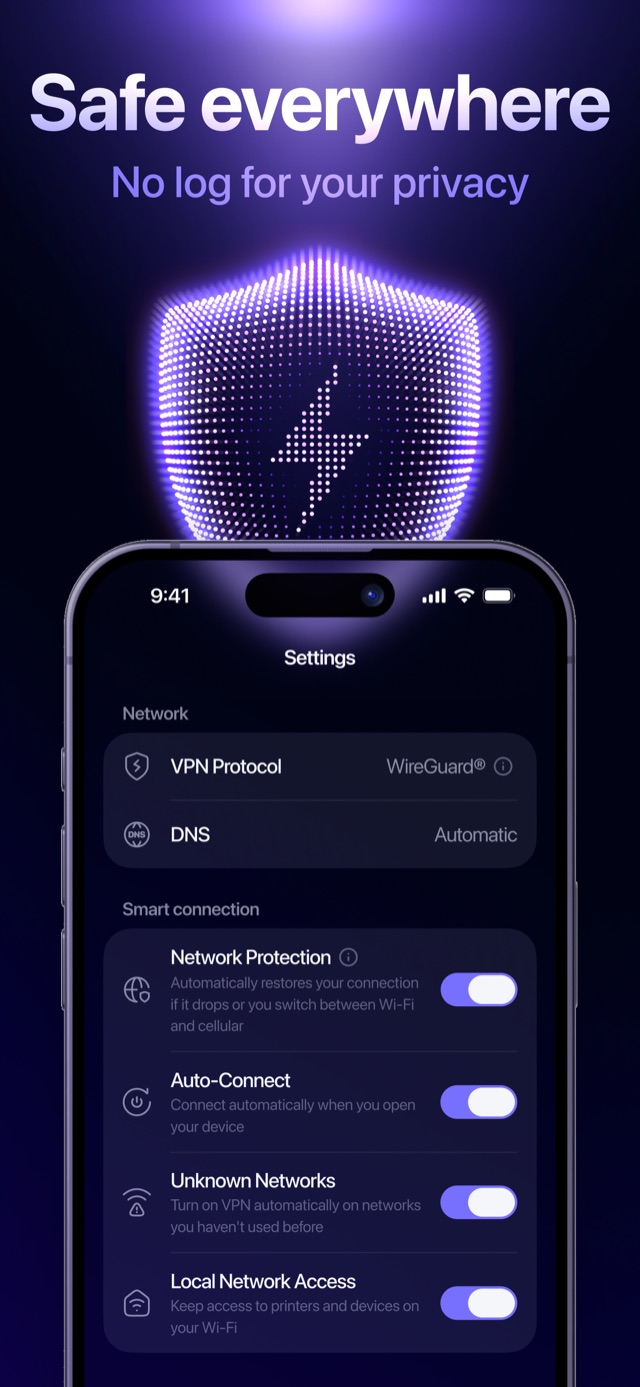
Turn on protection the moment you open your device, or only when you join a network you have never used before.
If the connection drops or you move between Wi-Fi and cellular, the tunnel is restored automatically.
Check an email address against known data breaches, and get told if it turns up in a new one. Entirely optional.
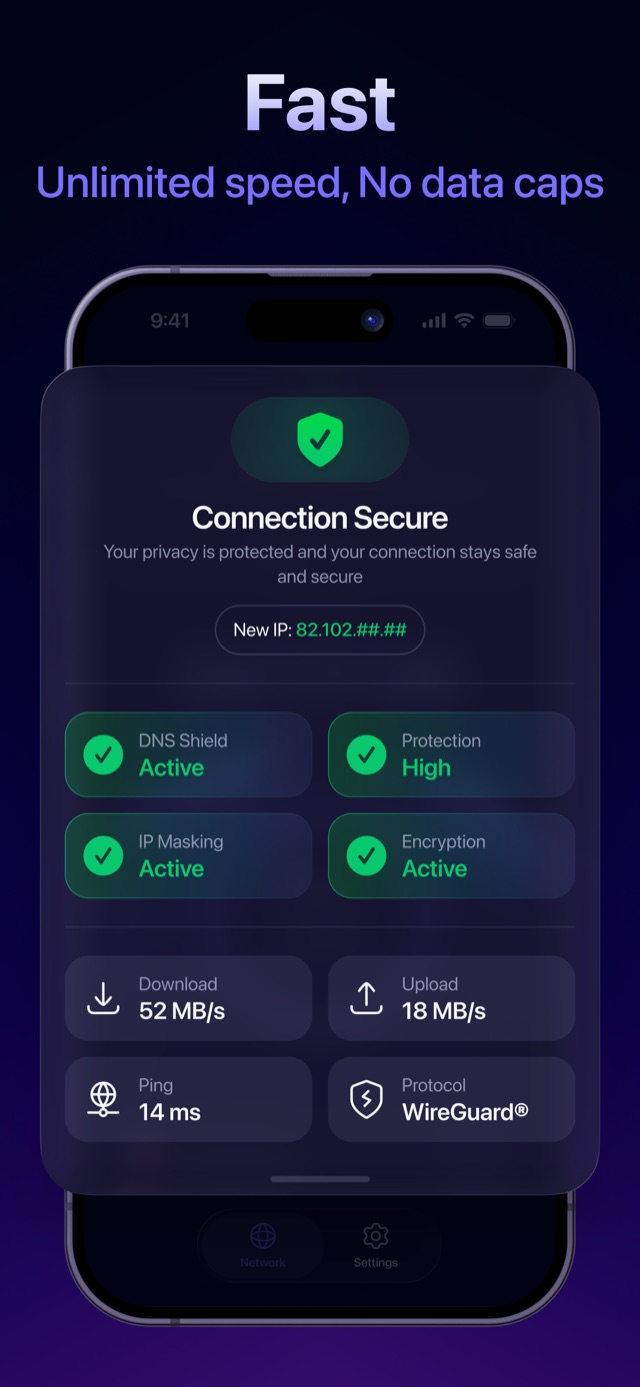
HideNow runs on WireGuard®, a modern protocol built for low overhead. Connect to the nearest server and keep the bandwidth you are paying your provider for.
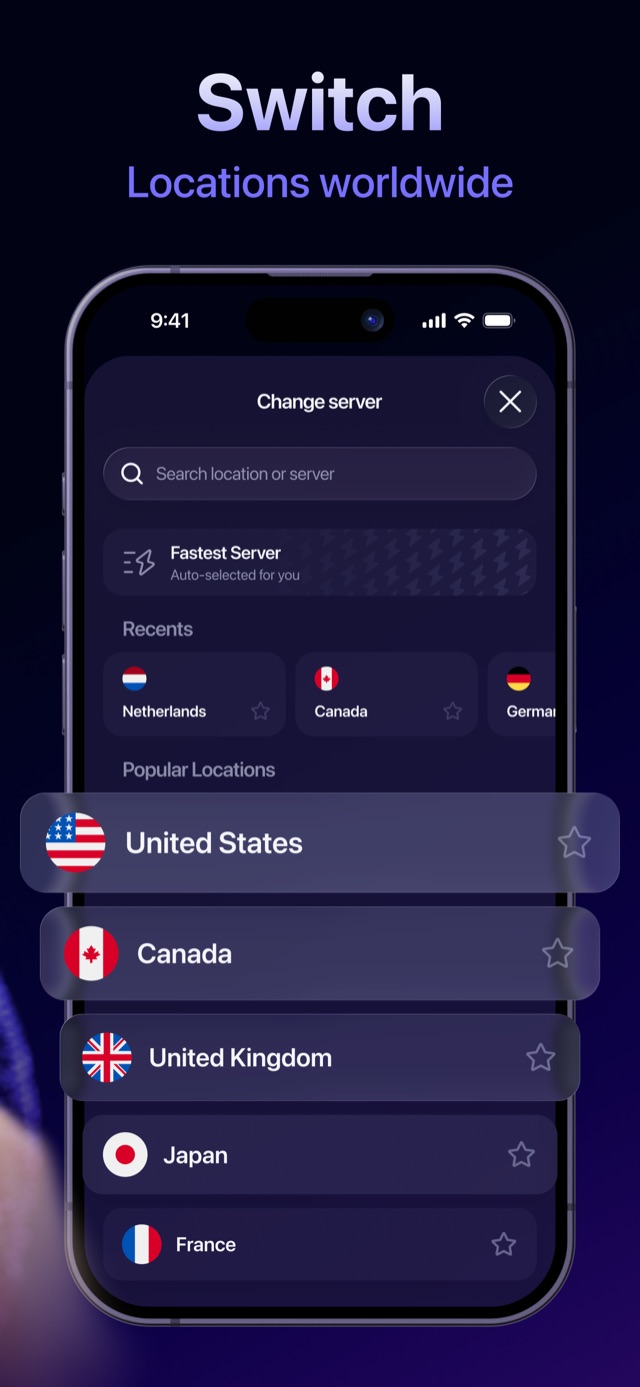
Move between countries in a tap. Search for a location, star the ones you use often, or let Fastest Server decide for you.
Some providers slow down gaming and streaming traffic. Inside the tunnel they cannot tell what your traffic is, so there is nothing for them to throttle.

A VPN only protects you if the company running it does not become the thing watching you. Our systems are designed so that we do not hold records that could reconstruct what you do online.
A no-logs design is not the same as no processing at all — carrying your traffic means handling it as it passes through. The Privacy Policy sets out exactly what we do process, how long we keep it, and who else touches it.
One button that matters, and settings that explain themselves.
We do not retain your browsing history, the content of your traffic, DNS queries linked to you, or your real IP in a form tied to any specific activity. We do process limited technical data — aggregate connection metrics, crash reports, device and app version — to keep the service running. All of it is listed in the Privacy Policy, along with retention periods.
No. An anonymous account is created on your device the first time you open the app. No name, email address or phone number is required to use the VPN. You can delete the account from the app at any time.
WireGuard®, a modern protocol with a small codebase and low overhead — which is why it connects quickly and costs you little speed. You can see the active protocol in Settings.
No. There is no monthly data cap and we do not throttle your connection.
Subscriptions are billed through your Apple ID and renew automatically until you cancel. To cancel, open Settings on your device → your name → Subscriptions. Cancel at least 24 hours before the period ends, and note that deleting the app does not cancel a subscription. Refunds are handled by Apple at reportaproblem.apple.com. Full detail is in the Terms & Conditions.
That is exactly where it earns its keep. Turn on Unknown Networks and HideNow connects automatically whenever you join a network you have not used before, so you are protected before you think about it.
Download HideNow VPN and see how little it asks of you.
Download on the App Store